
Download SalamWeb Browser – Shariah‑Certified, Secure & Feature‑Rich Islamic Browser
Overview
SalamWeb Browser is a Shariah‑certified online browser developed by Salam Web Technologies MY Sdn. Bhd. Designed for Muslims who want a modern, high‑performance browsing experience without compromising on Islamic values, SalamWeb blends the familiar speed and compatibility of Chromium with a suite of faith‑focused tools.
The browser’s core mission is to make digital life “permissive in Islam” – meaning it actively filters content that conflicts with Islamic teachings while still offering the full range of everyday web functionalities. Whether you are searching for the latest halal restaurant, reading community news, or simply surfing the web, SalamWeb’s integrated SalamProtect filter safeguards you from inappropriate material in real time. Additionally, SalamWeb introduces unique Islamic widgets such as a Qibla compass, accurate prayer‑time tables, daily Qur’anic verses, and a charitable‑activity finder (SalamSadaqah).
The platform also hosts SalamChat, a community‑centric messaging system that connects users nearby for worship‑related discussions or social networking. By combining cutting‑edge web technology with faith‑aligned features, SalamWeb positions itself as the go‑to browser for anyone seeking a secure, spiritually conscious online environment. It is available for Windows, macOS, Android, and iOS, ensuring a consistent experience across desktops, laptops, tablets, and smartphones.
The browser is free to download, regularly updated, and fully compliant with major privacy standards, making it a trustworthy choice for both personal and family use.
Core Features & Islamic Tools
- SalamProtect Content Filter: Uses AI‑driven algorithms and a community‑maintained blacklist to block haram content, gambling sites, and explicit media in real time.
- SalamNews Feed: Curated news portal delivering the latest updates from the global Islamic community, including events, scholarly articles, and charitable campaigns.
- SalamChat: Secure, end‑to‑end encrypted chat that connects users within a configurable radius, enabling real‑time discussion of worship topics, study circles, or local events.
- SalamWidgets Suite:
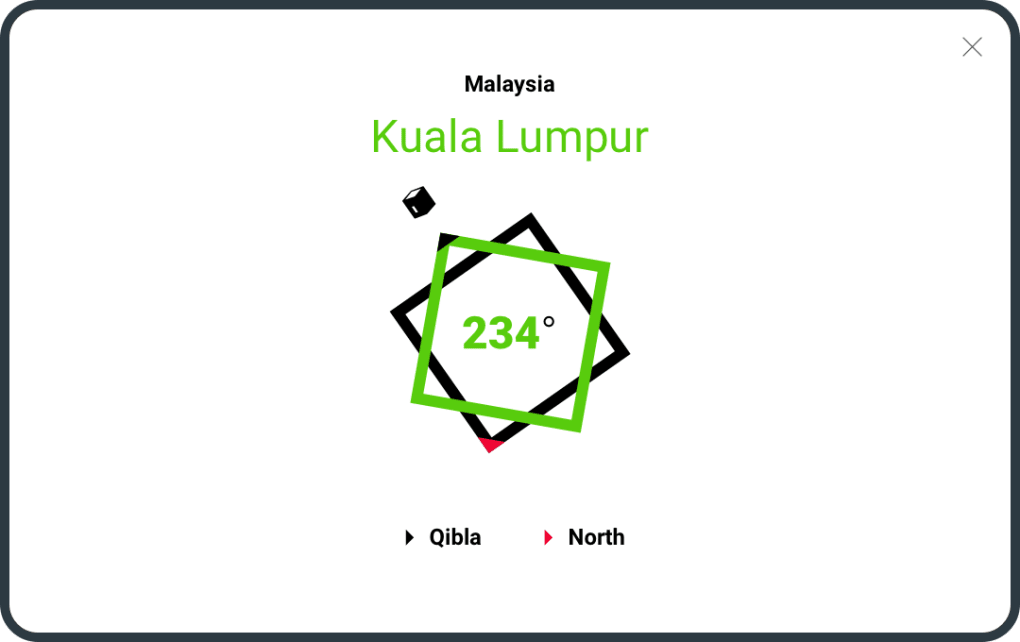
- Qibla Compass – Accurate direction to the Kaaba using device sensors.
- Prayer Times – Automatic calculation based on location and selected madhhab.
- Daily Quotes – Inspirational verses and Hadith delivered each morning.
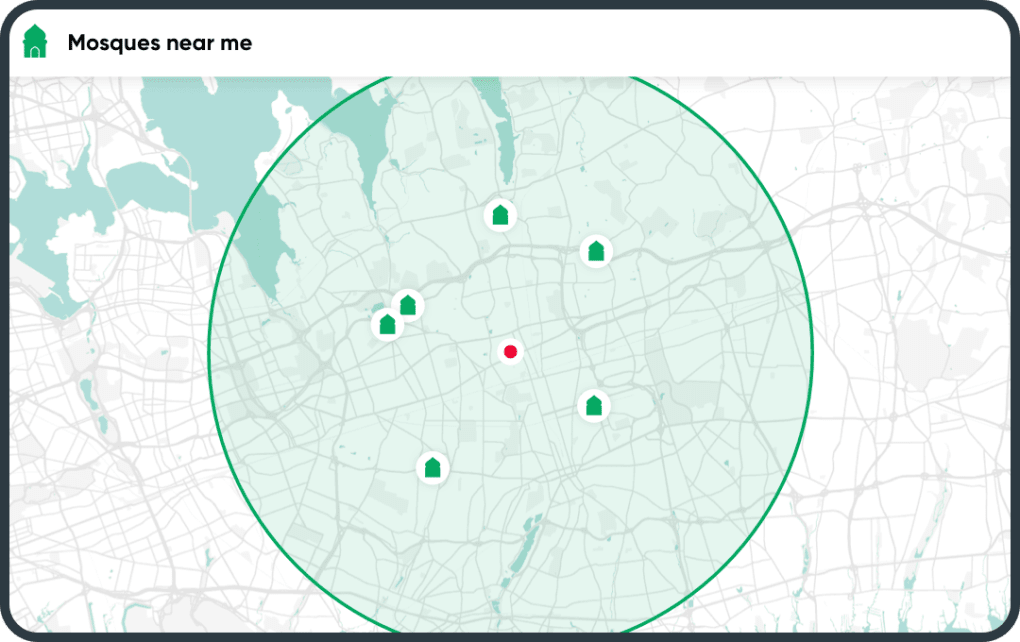
- SalamSadaqah Finder: Integrated map and calendar that highlights nearby charitable initiatives, donation drives, and volunteer opportunities.
- Chromium Compatibility: Full support for Chrome extensions, modern web standards, and fast rendering engine, ensuring no compromise on speed or website compatibility.
- Secure Browsing Mode: Built‑in VPN‑like proxy and anti‑tracking features to protect user privacy while maintaining compliance with Islamic ethics.
- Regular Updates & Open‑Source Transparency: Frequent security patches and feature enhancements, with a publicly auditable codebase for community trust.
Installation, Usage & Compatibility
Getting started with SalamWeb is straightforward across all major platforms. For Windows users, simply visit the official SalamWeb website, click the “Download for Windows” button, and run the installer. The setup wizard guides you through standard steps—accepting the license, choosing an installation folder, and opting into automatic updates. macOS users can download a .dmg file, drag the SalamWeb icon into the Applications folder, and launch the app from Launchpad. Mobile users on Android or iOS can find SalamWeb in the Google Play Store or Apple App Store; the installation process mirrors that of any native app, requiring just a few taps to grant permissions for location (essential for Qibla and prayer‑time widgets) and notifications (for daily quotes and charitable alerts).
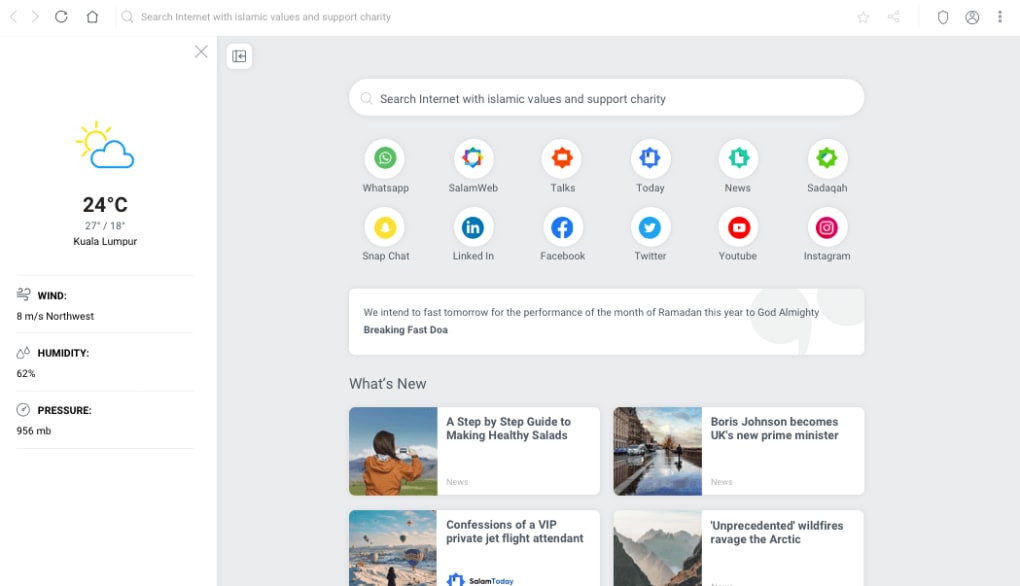
Once installed, the first launch presents a brief onboarding tutorial that explains the core Islamic tools, privacy settings, and how to customize the SalamProtect filter level (e.g., “Standard,” “Strict,” or “Custom”). Users can import bookmarks from other browsers, sync extensions via the Chrome Web Store, and personalize the home page with preferred widgets. The interface follows a clean, minimalist design: a traditional address bar, tab management, and a sidebar that houses the SalamWidgets for quick access. The browser automatically detects the device’s geographic location to configure prayer times and Qibla direction, though manual adjustments are possible for travelers or those living in remote areas.
Supported Operating Systems: Windows 10 / 11 (64‑bit), macOS 10.13 – 13 (Catalina to Ventura), Android 6.0 + (ARM & x86), iOS 11 + (iPhone, iPad). Minimum hardware requirements are modest: 2 GB RAM, 200 MB free disk space, and a stable internet connection for initial setup and regular content updates.
For enterprise or educational environments, SalamWeb offers a silent‑install package and group‑policy controls, allowing administrators to enforce the SalamProtect filter across multiple devices. The browser also supports multiple user profiles, making it easy for families to maintain separate browsing histories while still benefiting from the shared Islamic toolset.
Pros & Cons – What Users Love and What Can Improve
Pros
- Shariah‑compliant content filtering gives peace of mind for families and individuals.
- Full Chromium compatibility means all Chrome extensions and modern websites work flawlessly.
- Integrated Islamic tools (Qibla, prayer times, daily quotes) eliminate the need for separate apps.
- Secure browsing features protect privacy while respecting Islamic ethical standards.
- Free to download with regular security updates and transparent open‑source components.
Cons
- Initial filter settings may be too strict for some users, requiring manual tweaking.
- SalamChat is limited to users who have also installed the app, reducing its reach.
- Resource usage on low‑end Android devices can be slightly higher than lightweight browsers.
- Occasional false positives in content blocking may block non‑offensive sites.
- Documentation for enterprise deployment is still evolving.
Overall, SalamWeb Browser delivers a compelling blend of modern web performance and faith‑aligned features. While there are minor areas for improvement—particularly in filter customization and enterprise resources—the benefits of a secure, Shariah‑certified browsing experience far outweigh the drawbacks for its target audience.
Frequently Asked Questions & Final Thoughts
Is SalamWeb completely free or are there hidden fees?
SalamWeb is free to download and use. All core features, including SalamProtect, SalamWidgets, and SalamChat, are included at no cost. The developers may offer optional premium services in the future, but the current version has no hidden subscription fees.
How accurate are the prayer‑time calculations?
Prayer times are calculated using the highly regarded “Muslim World League” method by default, with options to switch to other calculation methods (ISNA, Umm al‑Qura, etc.). The app uses your GPS location for precision, and you can manually adjust angles for higher latitudes.
Can I use Chrome extensions with SalamWeb?
Yes. Because SalamWeb is built on the Chromium engine, it supports the entire Chrome Web Store ecosystem. Users can install ad‑blockers, productivity tools, and other extensions just as they would in Google Chrome.
Does SalamProtect block all haram content automatically?
SalamProtect uses a constantly updated database of prohibited URLs and machine‑learning models to identify questionable material. While it blocks the vast majority of haram content, no filter is 100 % perfect; users can report missed items to improve the system.
Is my personal data safe when using SalamWeb?
SalamWeb follows strict privacy standards: browsing data is stored locally unless you opt‑in to sync via a secure cloud service. The browser does not sell user data, and all communications—including SalamChat—are end‑to‑end encrypted.
Conclusion – Take the Next Step Toward a Faith‑Friendly Web Experience
If you are looking for a modern browser that respects your religious values without sacrificing speed or compatibility, SalamWeb Browser is a standout choice. Its comprehensive set of Islamic tools, robust content‑filtering system, and seamless Chromium performance make it ideal for students, professionals, and families alike. Download SalamWeb today, configure the filter level that suits your needs, and enjoy a safer, more spiritually aligned online journey. Join the growing community of users who have already made the switch—your next browsing session could be both productive and permissible.
Click here to download SalamWeb Browser for free and start exploring the web the Islamic way.







